


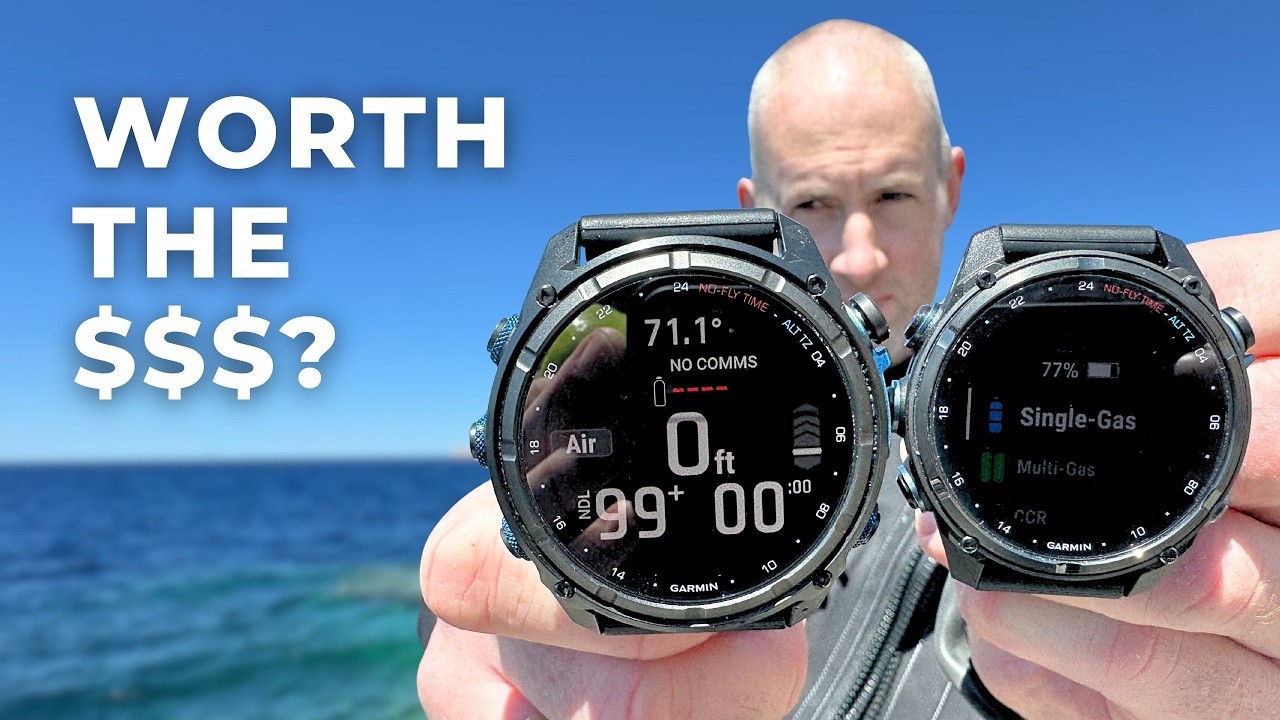


Comparing the Garmin Descent Mk3 and Mk3i

Mk3 or Mk3i
The Garmin Descent Mk3 series includes the standard Mk3 and Mk3i, the “i” standing for integrated. The Mk3i is compatible with both the older T1 and the new T2 transmitters and, with both, we could share dive information such as tank pressure and depth.
The specific diver-to-diver messaging system is only possible with the pairing of the Mk3i and T2. For both the Mk3 and Mk3i, all the dive functions and fitness watch components are the same. By choosing the smaller 43 mm Mk3, divers will miss out on Subwave underwater communication—sharing messages, relaying dive specifics between other Mk3i divers, and receiving your tank pressures.
If this doesn’t bother you and you are more intrigued by the fitness watch-dive computer combo, the 43 mm Mk3 could be a better choice
43 mm vs. 51 mm

The Mk3 is incompatible with the T2 transmitter, and thus incapable of air integration and sonar messaging. The Mk3 is only available in the “smaller” 43 mm, which is still a reasonably sized watch. The transmitter-compatible Mk3i is available in both 43mm and 51mm.
We think the 43 mm Mk3 or Mk3i will fit most divers well, and that for most women the Mk3i 51 mm will be too clunky. However, the larger Mk3i 51 mm does offer a larger screen and a much better battery. In smartwatch mode, the Mk3/Mk3i 43 mm will last 10 days, whereas the Mk3i 51 mm will last 25 days.
Disregarding the lack of transmitter compatibility with the Mk3 and battery size comparisons of the 43 mm vs. the 51 mm, the brains of the Descent Mk3 and Mk3i are the same.
They all include a digital compass, multiple dive modes, dive-view color maps, 100-plus sports, and all the other bells and whistles. By choosing a smaller or larger Descent, you will not lack diving modes or health and fitness features.
Garmin Descent Mk3 and Mk3i Software
Subwave Underwater Messaging

When we spoke to Garmin at DEMA 2023, we learned about their revolutionary Subwave sonar-based diver-messaging system. This Garmin-developed underwater technology allows divers with an Mk3i (and T2 transmitters, which are sold separately) to exchange preset diver-to-diver messages up to 100 feet (30 m) away.
They can also monitor tank pressures and depth for up to eight divers within a range of 33 feet (10 m). These preset messages are:
- Help (Diver Assistance Mode)
- Are You Okay?
- I’m Okay
- Come To Me
- Safely End Dive
It must be noted that Garmin states (and we agree), that these messages must not be “relied upon as a method to receive emergency assistance and should not replace traditional dive safety tools and procedures.”
Garmin Mk3i diver-to-diver messages

Armed with two Garmin Mk3i dive computers paired with T2 transmitters, we embarked on a series of dives in Malta to determine whether the diver-to-diver messages were more gimmick or were genuinely useful.
To send a message, users press “start” (top right), select Messages, and then select a message.
We did, unfortunately, encounter a few hiccups. When sending a message from the 51 mm, it would, as expected, process the action within 10–15 seconds. However, the 43 mm watch took a few minutes to receive the message.
When sending the message back from the 43 mm, the screen froze on the messaging for several minutes, making us question if it was even sending or if the software had frozen.
Soon after our trip in April 2024, Garmin released an update for the Descent Mk3 series, the T1 and the T2 transmitter. This included SubWave improvements and bug fixes for the transmitters and diver-to-diver messaging. We’ll go diving again soon to test these improvements and the Mk3i’s messaging capabilities, so stay tuned.
T1, T2, Mk2 and Mk3 compatibility


Speculation arose among divers regarding whether the Mk3i would be compatible with their T1 transmitters or if the Mk2i series could work with the new T2 transmitters.
Divers can use their T1 transmitters with the new Mk3i, receiving information on tank pressure and depth for up to eight connected divers. However, the T1 transmitters lack diver-messaging capabilities.
Diver Readiness

The Garmin Descent Mk3 series has a unique feature known as Diver Readiness. This provides the wearer with a score and a brief message based on factors such as sleep score, recovery time, body battery level, jet lag, dive history, and training status.
For instance, if you ran 10 km earlier that day or had a restless night, the Mk3 will detect this and may recommend taking some rest or opting for a simpler dive.
While this feature is interesting and convenient, we wouldn’t necessarily say it’s a deal-breaker. In reality, if you’re using the Mk3/Mk3i for diving, chances are you’re an experienced diver who knows how to plan dives safely and understands your physical limits. Suggestions from Diver Readiness may not carry much weight for such divers.
It’s important to note that the Diver Readiness score is solely based on physical metrics and does not consider factors such as weather conditions or local tides. Divers must remember to independently assess their readiness and properly plan and execute their dives.
Hardware features
The display

The most striking feature of the Garmin Descent Mk3 series has got to be its AMOLED touchscreen, sitting behind the scratch-proof sapphire crystal. Compared to earlier models and competitors, the Mk3i’s display stands out from the crowd, showcasing supreme visual clarity that will enhance your diving experience.
The Mk3’s bright AMOLED display also includes new screen modes, Red Shift and Lume. Red Shift, more than just a different color, changes the entire watch interface to shades of red, green, or orange for enhanced eye comfort. We found this feature particularly useful during early morning dives when the last thing we want is to be rudely awoken by a bright watch at 5 am.

The Lume mode on the Mk3 takes inspiration from the luminescent features found in mechanical watches. As you transition into low-light settings, the watch’s light sensor detects this, casting a gradient turquoise luminescent glow onto the watch face, mimicking that glow-in-the-dark effect.
Battery for weeks
The Mk3’s battery performance stands out as its second-most impressive feature, surpassing many competitors in its class. The 53 mm powered through various activities and dives for over two weeks, with still a third remaining in the tank. In smartwatch mode, the Mk3/i 43 mm boasts a battery life of 10 days, and the Mk3i 51mm a whopping 25 days.
Despite its brilliantly vivid and colorful display, the AMOLED screen surprisingly conserves power. By turning off black pixels entirely, this technology enhances color contrast and brightness on the screen while extending battery life in the long run.
Let there be light

Many of us have used our smartwatches’ bright display as a makeshift torch, but Garmin has gone a step further by integrating an actual flashlight into the Mk3i 53mm—a first of its kind. On land and underwater, this flashlight has many capabilities, from a searchlight in your dark backpack to guiding your way to that midnight bathroom break.
This flashlight integrates with their messaging system underwater. When you send the message “Help,” for example, this activates Diver Assistance Mode and the flashlight begins blinking red continuously. This not only alerts your buddy via messages but also catches the attention of nearby divers with the red light.
While we appreciate the flashlight’s versatility both above and below the surface, we remain skeptical about the effectiveness of the Diver Assistance Mode. We think that clicking through the buttons, sending “Help” and your buddy responding isn’t any quicker than just swimming over and signaling a problem.
Built to Last


At first glance, the Garmin Mk2i and Mk3i are nearly identical visually. However, two minor modifications have enabled the Mk3i to double its depth rating from 330 feet (100 m) to 660 feet (200 m).
The primary change lies in the Mk3i’s case material. Unlike the Mk2 series, which features a metal rear cover (Garmin hasn’t specified which metal), the new Mk3i has a titanium rear cover, enhancing its durability under pressure.
The second change involves the introduction of leak-proof inductive buttons with the Garmin Mk3 series. These buttons utilize inductive technology, eliminating the need for a hole in the case and potential leak points in the dive computer.
Since these buttons detect presses without physically penetrating the case, they are engineered to operate flawlessly at the watch’s full depth rating throughout its lifespan.
For technical divers, this doubling of depth capability is revolutionary. Competitors like the Shearwater Perdix, Petrel, and Terix can already handle depths of 660 feet (200 m) and beyond, but the Mk3i is the only extreme dive computer that doubles as a smartwatch, seamlessly tracking your fitness and diver readiness, both in and out of the water.
Fitness Watch

Even though this guide does focus on the dive computer aspect of the Garmin Descent Mk3 series, this is a Garmin watch, so we have to mention its fitness capabilities as well— and it has a lot of fitness capabilities. The Descent Mk3 series has the full activities profile range of 115 sports, which is almost double that of the Mk2.
The Mk3/i offers advanced metrics such as VO2 max estimation, training load, and recovery time, encouraging you to fine-tune your training and keep tabs on your fitness journey. All this data and information is slowly converted into trends that are displayed in the Garmin Connect App. Activities can be loaded to other apps as well, such as Strava.
Price/Quality Ratio
With all its bells and whistles, the Mk3/Mk3i is a costly piece of diving equipment. It is, in fact, the most expensive dive computer on the market by quite a wide margin—nearly $500 more than the comparable Shearwater Perdix 2 or Tern TX.
But you must remember that the Garmin Mk3/i is a dive computer anda fitness watch, and will do everything you could ever need a smartwatch to do. So yes, the Garmin Descent Mk3 and Mk3i are expensive watches, but we don’t believe they are overpriced.
Do we recommend the Garmin Descent Mk3 and Mk3i?
There is no doubt that the Mk3i is seriously impressive. If you want a fitness watch, smartwatch, and dive computer all in one device, and can afford the hefty price tag, then we 100% recommend the Mk3/Mk3i.
The Mk3i does have a depth rating of 660 feet (200 m) and more technical functionalities that many divers don’t need. If you like the idea of a smart Garmin watch paired with a dive computer, then perhaps the more affordable G1 solar will suit you (and your wallet) better.
Specs & Features
| Display type | Full-color AMOLED |
|---|---|
| Display size | 1.2 inch (30 mm) |
| Color | Mk3: 43 m black/gray; Mk3i: 43 mm gold/gray or black; 51 mm black silicone or black titanium |
| Screen resolution | 390 x 390 pixels |
| Battery | Rechargeable Li-ion battery with unique clip-on charger; up to 25 (51 mm) or 10 (43 mm) days in smartwatch mode |
| Computer size | 43 or 51 mm diameter; 14 or 16 mm thickness |
| Depth rating | 656 feet (200 m) |
| Number of gases | Up to 11 deco and/or backup gases |
| Dive modes | Air, multi-gas, trimix, CCR, up to 11 deco gases, gauge, apnea, apnea hunt |
| Alarms | Haptic and audible; up to 40 customizable dive-related alarms |
| Dive log capabilities | Divers can use Bluetooth to upload to the Garmin Dive app |
| Transmitter compatible | up to eight |
| Weight | 3.57 oz. (106 g) with silicone strap |
| Number of buttons | Five |
| Compass | Digital compass |
| Wrist straps | 30+ straps ranging from silicone to titanium straps for diving and leather/nylon for everyday |
 Take a moment to look at this.