




Initial Impressions


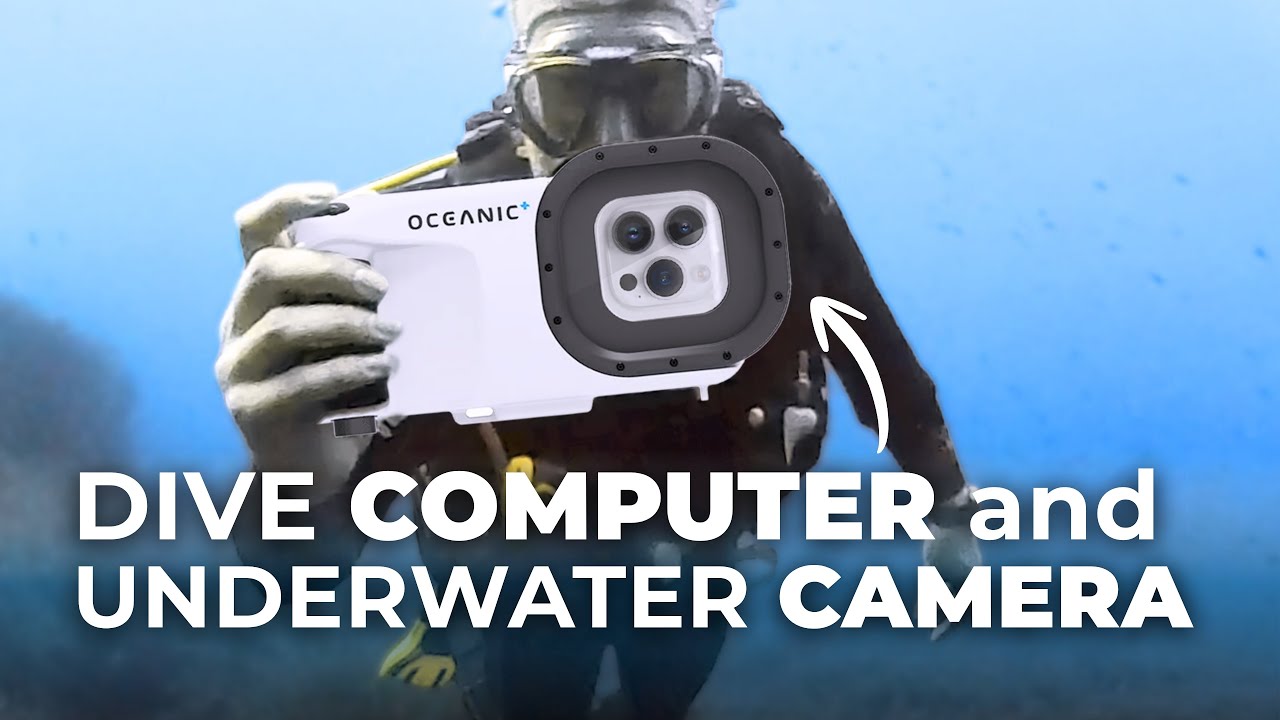
Out of the box, the Oceanic+ iPhone housing feels solid and well-made. The body is stiff; the back door is thick; and the rubber o-ring sits in a deep, clean groove. The latch closes with a firm click. The front window is large and clear, so the iPhone screen is easy to read.
The controls look thought-through. The trigger sits where your index finger naturally rests, and four raised buttons line the side of the screen. They’re spaced so you can find each one by feel, even with 5 mm gloves.

The setup flow is guided inside the app. Pairing, firmware, and the auto-vacuum run step-by-step, and the housing alerts you when the seal is good. The on-screen layout is clean. You can choose a minimal view for framing or a fuller data view when you want depth, time, and stop info front and center.

In the hand, the housing balances well. It’s not tiny, but it doesn’t feel bulky, and a small handle makes it steady without adding much weight. Overall, it gives the impression of a dependable, everyday camera option you won’t have to fuss over.
Image & Video Quality

In clear, warm water, the images and video look fantastic on both the iPhone 15 and 17 Pro. Details stay sharp, colors look natural, and you can see both the bright surface and the shaded reef in the same shot without one blowing out. Most clips are ready to use with little or no tweaking.

Stabilization works well and gives footage a smooth look. It’s not at the level of the best action cameras, but for normal underwater clips you don’t need that level of stabilization.
The quick photo↔video switch is handy. It saves a little time when something swims past, and you don’t have to dig through menus to change modes.
The screen is bright and easy to frame with, and minimizing the overlay helps when you want to focus on composition.
Image & Video Options
Lenses

On compatible iPhones you can use the main lens or the ultra-wide in the Oceanic+ housing. The main lens is the cleanest choice in low light or green water; the ultra-wide shines on bright, wide reefs. Lens availability is based on your iPhone model—the app will let you know what your phone supports.
Images

Photos are available as HEIF or HEIF/RAW, so you can pick small files for quick sharing or extra editing room when you want it. Oceanic supports RAW alongside compressed formats, with all media stored directly on the iPhone for easy sharing.
Video

Video recording supports HD and 4K. The exact resolutions and frame-rate choices are determined by your specific iPhone model, and the Oceanic+ app shows you only the options your phone can do. That keeps the setup simple and avoids guesswork.
Color Correction: Free vs Paid

With the free version of the Oceanic+ app, color correction is something you set before you hit record. It’s applied while you shoot and saved in the file, so what you see is what you get.
Using the Oceanic+ Housing as a Dive Computer

To use your housing as a dive computer, you’ll need to opt for the paid plan on the Oceanic+ app. The housing is clean and readable, and you’ll see depth, time, no-deco info, ascent rate, and a safety-stop timer. Alerts are obvious without being annoying.
On our dives, depth and temperature closely matched a wrist computer. The housing is rated to 196 feet (60 m), which is deeper than many wearable-only options. We still wear a wrist computer as a primary for safety, but the housing is a great second screen while filming and a solid backup if you need it.
Planning, Logging, and Sharing
Planning happens in the app, so gas, depth, and time are set before you jump in. When you end the dive, the log saves with entry and exit details. Every photo and clip lands on the graph at the exact moment you shot it, with depth, temperature, and time attached—it sounds small, but it changes how you review a dive.
You can jump straight to “the turtle at ~20 m,” make quick tweaks on the phone, and share right away—no cards or laptop. For trips, this is the difference between actually posting a photo and telling yourself you’ll edit later.
Battery, Heat, and Storage
Battery and storage are fine for a full day with a bit of planning. I charge the phone each night and the housing every couple of days. If you’re shooting lots of 4K or high-frame-rate clips, keep an eye on storage and trim throwaways between dives. Heat is the one thing to watch on hot decks—keep the sealed housing shaded and you’ll be fine.
Durability & Care
We’ve had no failures, and the seal check has been consistent. Rinse the housing closed, press each button a few times to flush salt, and open it in a dry place. Store the o-ring clean with a light lube. Keep a microfiber and a spare o-ring handy so your pre-dive routine stays smooth.
Compact Camera vs Action Camera vs Oceanic+
A modern iPhone in this housing holds its own against compact cameras in clear, bright water, without having to buy or carry a second camera system. Compacts still win in very low light and full manual strobe work, but that’s a different kind of diving.
Against action cams, the iPhone looks cleaner and less “ultra-wide,” and you can jump between photo and video instantly. Action cams still lead in extreme stabilization, but for normal recreational diving, the Oceanic+ combo delivers better overall image quality and a far better workflow.
For most trips, there’s simply no need to add a compact when your phone already shoots this well.
Price/Value

As a package, the value comes from replacing two boxes: a compact camera rig and a basic computer. If you only dive a week or two per year, a monthly subscription during the trip is painless; if you dive often, the annual plan makes sense. Pair it with a wrist computer as primary and you have a safe, simple system that covers most recreational diving and keeps your kit light.
Who Should Buy It

If you want one simple kit that shoots good underwater photos and video and also shows live dive data, this is the sweet spot. It’s perfect for travel and everyday recreational dives, and for anyone who wants to share right after the dive.
If you’re moving into big mirrorless/DSLR rigs with strobes and full manual control, that’s a different path—and a different kind of diving.
Specs & Features
| Dimensions | 9.7" W x 4.4" H x 2.7" D (24.6 cm W x 11.2 cm H x 6.9 cm D) |
|---|---|
| Weight | 2.15 pounds (975 g) |
| Image Quality | iPhone dependant; 3 MB JPG file (as reviewed) |
| Video Quality | iPhone dependant; 4k 60fps (as reviewed) |
| Depth Rating | 196 feet (60 m) |
| Display | iPhone dependant |
| Bonus Feature | Automatic vacuum seal |
 Take a moment to look at this.

Looks like great product. I am still working on my diving skills. Photography is a bit down line.
They should make a housing for Samsung
There’s an alternative underwater housing for Android phones you might want to take a look at.
Love the review.
Good for making up your mind if you’re going to buy or not ????
Very good review. I will definitely consider this in me beginning underwater photography setup.
Great review!! Some very good information. Nice to know the depth rating is 196 feet (60 m)
I will be going to Bonaire soon and the Oceanic+ iPhone housing looks amazing. I would love to get this!! What features do you have to pay the annual subscription for? Thanks
Great review. I’m just starting out on my Scuba journey, just about to start my open water certification. As I already own a Apple watch Ultra 2, I thought this would make a great addition, and your review has helped with that decision.
As it is will go down to 60m, this is twice the depth that you would go down with the Advanced Open Water (something that I am planning to get) so would act as a backup dive computer to my apple watch, and as a still camera when I use my GoPro.
I wonder if humidity in the case will affect the phone after you come to the surface?
Depends. Most newer iPhones are waterproof to something like 5 meters, and the housing has a water/humidity detector that will alert you if humidity builds up. So, you can end the dive and exit the water.
great review. definitely will save me from spending the money on this iphone case.
Review of Oceanic Dive Housing: A Disappointing Experience in Sharma Al Sheikh
I recently used the Oceanic Dive housing during a dive in Sharma Al Sheikh, and I must say I am deeply disappointed with its performance. While the housing is advertised as a reliable option for underwater photography and video, my experience was far from satisfactory.
During the dive, the housing disconnected multiple times, causing the iPhone screen to go black and rendering the device completely unusable underwater. This issue occurred repeatedly, both at the beginning and towards the end of the dive, making it impossible to operate the iPhone or any functions of the housing. The frustration of not being able to capture moments or even check my settings was immense.
Moreover, the iPhone frequently overheated inside the housing, displaying a heating warning and becoming inoperable until it cooled down. This is unacceptable for a product designed to be used in environments where quick and reliable access to the phone is crucial.
The housing is also extremely sensitive. A simple jump into the water or a slight crash on the surface would cause the iPhone to disconnect, again rendering the housing useless. This sensitivity raises serious concerns about the product’s durability and reliability.
The only positive aspect I can mention is that the housing does seem to provide a secure seal, protecting the iPhone from any leakage. However, this one advantage is overshadowed by the numerous flaws I encountered.
In conclusion, I do not recommend the Oceanic Dive housing. The frequent disconnections, overheating issues, and overall sensitivity make it a poor choice for serious divers. It simply does not live up to its promises, and I regret my purchase.
60m
Yes. 60 m
Great review !
Thanks.