


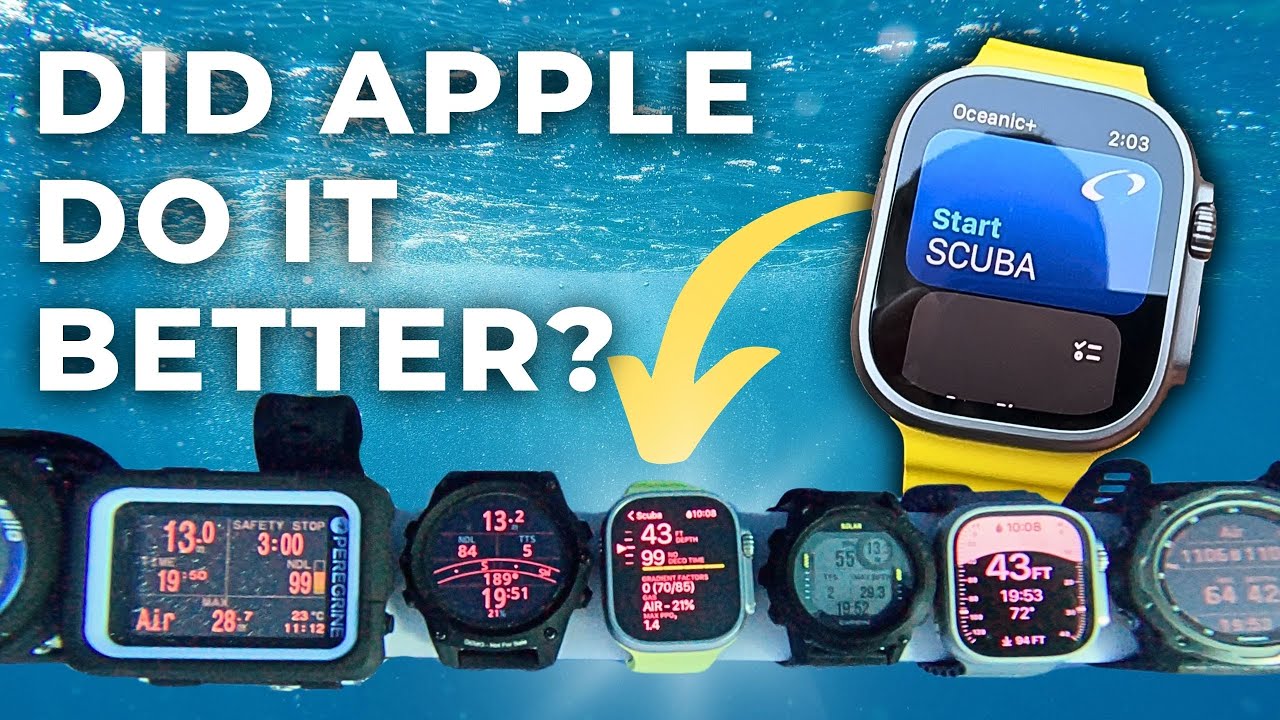


First impressions of the Apple Watch Ultra as a dive computer

The Apple Watch Ultra isn’t a dive computer right out of the box—but it becomes one with the Oceanic+ app. Install the app on your iPhone and watch, sign in, add a subscription, and your everyday smartwatch switches to an easy to use dive computer the moment you start your descent. If you already know the Apple Watch, you’ll recognize most of the controls—so the first dive feels easy.
Day to day, this is still my go-to smartwatch. It’s fast, bright, and packed with the usual Apple features. Add Oceanic+, and the dive experience stays very “Apple”—friendly onboarding, simple menus, and settings that make sense. Changing nitrox, alarms, or conservatism takes seconds.
The display is crisp; the key numbers are right where you expect them; and everything reads at a glance. Pros and cons of the paid subscription? We’ll get to that below—but in use, the combo feels seamless.
Feature & performance breakdown

Setup in the app
Getting started is dead simple. Open Oceanic+, make your user profile, and pick a subscription to unlock scuba (we’ll break down pricing later—there are cheaper snorkel/freedive tiers too).
From there, the app becomes your hub:
- Diver Profile:
Set your basics once (experience, gear, usual exposure suit) so the planners make smarter suggestions. - Location Planner:
My favorite bit. Depending on your chosen dive site, you’ll see recent temperature at depth pulled from other Oceanic+ users, plus handy local info. It’s awesome for picking the right suit thickness before a trip. - Weight Planner:
If you’ve been dry for a while or you’re switching gear, punch in suit thickness, hood/gloves, and tank type. The app gives a weight estimate that’s usually spot on for a first splash. - Logbook & Stats:
Clean graphs, notes, GPS pins—the whole history of your dives in one place. - Settings (on phone): Change gas (air or nitrox), PPO2, conservatism, max depth/time alarms, and more in a simple phone user interface. One tap syncs everything to the watch.
You can also tweak your settings on the watch if you prefer: swipe into the Oceanic+ menu, tap nitrox to adjust O2, or jump into alarms/conservatism. It’s clear where you are in the menus and quick to confirm changes.
Once that’s set, head for the water. The watch auto-launches the dive screen on descent, and the controls take over from there.
The display and controls of the Oceanic+ app

As soon as you roll off the boat and start descending, the Oceanic+ app starts tracking. Underwater, the touchscreen locks, so you run everything with the Digital Crown (the wheel) and the Action button.
The screen is split into two zones. The top strip never changes—that’s your at-a-glance stuff: current depth, no-deco time and, if you tip into deco, it swaps to show required stop time. It’s big, clear, and easy to read in bright water.
Spin the wheel and the bottom part cycles through extra information:
- Dive time • minutes to surface • water temperature
- Max depth • ascent rate • battery %
- Average depth • max depth • dive time
- Compass — tap the Action button to set a heading; the watch shows how far off-course you are as you swim.
- A settings summary showing your Gradient Factor, Gas mix (Air/Nitrox) and Max PPO₂

That’s it. No fiddling with settings mid-dive—everything important is already set topside.
The combo of a very bright screen and solid haptics makes the information obvious. It feels like a clean, purpose-built dive UI layered onto the watch you already know.
Alarms you actually notice

When you get close to your NDL, the screen flips to a bold color and the watch buzzes with a mild vibration, strong enough to feel through a 5–7 mm suit. If you’re rising too fast, you’ll get the same “hey, slow down” combo: a bright warning and solid haptic.
Nearing your max depth or dive time? Same deal. And at the safety stop, the big on-screen timer makes it simple to count down your time. One press of the Action button clears the alert so you can keep diving.
Oceanic+ algorithms

Oceanic+ uses the Bühlmann ZHL-16C algorithm—the same one you’ll find in a lot of serious dive computers. That’s good news: it’s predictable and the standard in diving.
You can change conservatism when conditions aren’t easy—cold water, hard swimming, or you’re just tired. Quick caution: before you adjust conservatism, be sure you understand what it does and why you’re changing it. If you’re unsure, stick with the default—you don’t want to guess with decompression settings.
This isn’t a technical diving platform. There’s no multi-gas planning or trimix, and that’s intentional. For everyday air and nitrox dives, Oceanic+ puts the key info—depth, NDL, ascent rate, and stops—right where you need it, so you’re not digging through menus. Plug your settings into the phone, sync to the watch, and go dive.
The pre- and post-dive experience using the Oceanic+ App

Before the dive
Open Oceanic+ on your phone, set your gas (air or nitrox), PPO2, conservatism, and max depth/time alerts, then check the Location Planner for recent temperature at depth, wind, and swell so you can pick the right suit.
Use the Weight Planner to get an estimated weight needed for that dive based on your suit thickness, hood/gloves, tank type, and profile. If you want quick-glance info, add the Oceanic+ complication to your watch face for NDL previews and no-fly/elevation guidance.
On the boat
Do a quick check: battery level, strap or extension over your suit, gas and alert settings confirmed, and compass calibrated. The watch is already synced from the phone and will auto-launch Oceanic+ as you descend—you don’t need to start it manually.
After the dive

Your log appears on the phone without any cables. You’ll see GPS entry/exit pins, depth and NDL graphs, temperature, and a clean summary. Add notes for site, buddy, suit thickness, and the weight you actually used. If you shot photos with the Oceanic+ iPhone housing, they’re already linked to depth and time, making it easy to review the dive and plan the next one.
What does the Oceanic+ app cost?

If you already own the watch, your ongoing cost is the Oceanic+ subscription. Current US pricing is $4.99/day, $9.99/month, $79.99/year, or $129.99/year for a family plan (up to five devices) for the full scuba feature set.
There are also lighter tiers:
- Freediving plan: $4.99/month (Ultra only)
- Snorkeling plan: $1.99/month (Series 10 or Ultra)
- Free tier: basic logging/depth/time without scuba mode or planners
Quick Picks:
- Do you go on one dive trip a year? Activate the daily or monthly plan just for that trip.
- Do you dive regularly? The annual plan is the best value per month.
What we’re missing

Two hard limits remain after three years with the Oceanic+ app. First, Air integration: There’s no tank transmitter, so you won’t see remaining gas on your wrist. You’ll still need an SPG or a separate air-integrated computer.
Second is that 130-foot/40 m limit.
This cap is the recreational limit, so if you’re not a technical diver, you don’t need to worry about it.
When the Oceanic+ app first landed, lots of people fixated on the 130-foot limit, but it’s the same idea we learned with recreational dive tables—go past the limit and the tables no longer apply.
Oceanic+ is not built for tech diving, so if you push beyond the cap the app will warn you loudly and then stop tracking. That’s by design.
Price/quality ratio
If you already own or want to buy an Apple Watch for daily life, the math is friendly. You pay once for the watch, then pick a short or long Oceanic+ plan around your trip schedule.
If you only care about diving and want transmitters or multi-gas tech, a dedicated computer is a better value.
Do we recommend the Apple Watch Ultra with Oceanic+ app?

Yes—for recreational divers who want a simple, safe, and synced dive computer.
The everyday usability of an Apple Watch carries straight into the Oceanic+ app. It’s easy to change settings, easy to read underwater, and lets you focus on the dive—not the menus.
It’s perfect for the occasional or vacation diver, for anyone who already owns an Ultra and wants to dive it, or for shoppers wanting a great smartwatch that also dives. The 130-foot (40 m) max is worth noting, but most divers aren’t trained to go deeper—and shouldn’t—whether the computer can or not.
More from our testing
We’ve compared Apple Watch Ultra against Garmin, Suunto, and Shearwater across dozens of dives and chamber tests in our top dive computer guide. If you want more context on how it stacks up, our breakdowns show brightness, usability, and battery behavior side by side. If you want more in terms of the smartwatch options, we’ve also done a best smartwatch dive computer guide.
Specs & Features
| Display type | Always-on Retina LTPO OLED under sapphire crystal |
|---|---|
| Display size | 49 mm case (approx. 1.92 inches viewable) |
| Screen resolution | 410×502 px (Ultra/Ultra 2); newer Ultra models are similar |
| Battery | Built-in rechargeable Li-ion; roughly 36–42 hours of general use |
| Size (case) | 49×44×14.4 mm |
| Depth rating (as a dive computer) | Recreational scuba to 130 feet (40 m) with Oceanic+ app |
| Number of gases | Single gas (air or nitrox to 40%) |
| Dive modes | Scuba (air/nitrox), freedive, snorkel |
| Alarms | Strong haptic (vibration) and audible alerts |
| Dive log capabilities | Auto-syncs to iPhone; GPS entry/exit pins; depth/temperature/NDL graphs; cloud/app logbook |
| Transmitter compatible | No |
| Weight | 61 g (titanium case, band not included) |
| Number of buttons | Three (action button, digital crown, side button) |
| Compass | 3-axis, tilt-compensated; set/hold headings in Oceanic+ |
| Wrist straps | Ocean band (dive-oriented) and optional extension; Alpine Loop; Trail Loop |
 Take a moment to look at this.

I was wondering what your thoughts would be for a person who is currently getting their dive master, then will go for their instructor and just wants to stay in the recreational diving field if this would be a good watch? Don’t really dive right now past 40 meters and not planning to in the future. Thanks for your thoughts!
Hi Jeff,
Ff you’re not going below 40 meters now or in the future, it would be good option.
Your issue, is the yearly subscription that you’ll continue to pay. But you get a great dive computer, great screen(best on the market) and great log book features synced with the phone.
If you’re an apple user, and want a dive computer you can use on land as well, this or the Garmins are great choices.
I agree with your review and the recommendation of incorporating Air Integration. The extra long wrist strap is without question necessary for those of us who dive in a dry suit or a 7-8 mm wetsuit. Thanks for the thorough review. I think i need to wait for the next (upgraded) version.
Am I the only one noticing what appears to be a bigger (squarish) Apple Watch Ultra mounted on the pole with a grey band? If not, what is that dive computer?
Salut Jean. Ya, it’s another Ultra we used to test the Oceanic+ vs the Apple Dive app. Well spotted. The idea was to see how well the dive app worked without the Oceanic+ subscription. There’s no real comparison: the paid Oceanic+ on the Ultra is a workable, good dive computer for purely recreational scuba and the normal dive app isn’t.
Thanks for the good read.
I’m not sure why everyone is against the monthly fee, if you only dive 2 months out of the year is only equal to $9.99 X 2 Months, not exorbitant pricing. If one can afford all the gear/maintenance, travel expenses and etc, you can handle $9.99 for 1 month, then cancel. Not that expensive people, not hard to cancel.
I’m an Advanced diver with over 1,000 dives in my log. I’ve been using the Apple Watch Ultra here in Cozumel for the past two weeks doing 2-4 dives a day. I have a Suunto Eon Core which I’ve used for nearly 1,000 dives. I’ve been comparing them with one on each wrist.
The Apple Ultra is much easier to use, is brighter and does everything needed by a recreational diver. I use it in both the Air and Nitrox settings. Switching to the Nitrox settings is easier than any dive computer I’ve ever used.
Side by side with my Eon Core they track virtually the same info. The only thing missing from the Ultra is that I have a tank transmitter for pressure readout on my Suunto display. Maybe Apple will add that as a feature or in next year’s watch.
I think there is a misunderstanding about the Oceanic subscription. Some people seem to think that you need it to use all the dive computer features and functions. You don’t. The subscription application essentially gives you a dive planner and log to off-load your dive computer information. That’s nice to have, but not a deal breaker as far as I’m concerned. And while here in Cozumel, I signed up for one month of subscription, for $10 and promptly cancelled it so it I will expire just after I leave. The data will stay in the log and be viewable. When I go on another dive trip, I will possibly pay $10 for 2-3 weeks of diving (probably 20-30 dives) and then cancel again. To me, that is well worth the nominal subscription price.
If you’re in the market for a new Apple Watch and you also need a dive computer, I highly recommend getting the Ultra so that you only have one device to wear and keep track of. Additionally, the Ultra case is Titanium, the crystal is Sapphire and it is cellular if you want to add that to your mobile account. The watch is a great cellular phone without having to have my iPhone with me.
I trust this helps those considering the Apple Ultra watch.
Enjoy
Gary
I agree, Apple is on the right track.
You can choose to pay for only the month needed, not the entire year.
Not sure what all the criticism of the subscription model is all about. Just simple math right? I have a SW Teric that costs about $1,150.00. An annual subscription for the app is about $80.00. So basically 14+ years of use before you spend the equivalent of the one off cost of a nice dive computer. If the functionality or usability is bad I get why it might receive bad reviews, but subscription models don’t seem like anything more than a different way to pay, not an increased cost.
I think most people are a little taken aback by Apple wading into the market with something completely new. Your righ, Adam, the subscription is competitive when measured out over time. But the bottom line of their target market is a person who will also dive. The subscription is for therefore optional for these sometime divers. The PADI open water crew that learned to dive with a maximum 130 foot dive table. Compare that to Garmin’s Mk2 which is a dive computer for people who also do golf, hiking, backcountry skiing, etc. No matter what, the visual experience of the Oceanic+ on the Ultra is more vibrant, maybe even more clear. Not for everyone, but many people will happily pay whatever subscription plan suits them.
The 20W USB-C charger charges the watch very quickly. I really don’t recommend charging it any other way. (and yeah, this means another $20/€25 on top…)
Monday, November 28, 2019: The Oceanic Plus app is now available. This app turns the Apple Watch Ultra into a real dive computer. We have tested and reviewed the app in-depth and updated the article.
That subscription is a big turn off. I was planning on getting this as a backup dive computer. I am a an Apple fan and a regular recreational diver and go hiking often. This watch would have been perfect if that subscription was not there. Even without the subscription I would only get this as a backup dive computer. I still wouldn’t rely on this as my primary dive computer
Being an an athlete and occasional diver, I was super excited about the Apple Watch ultra. I was so hooked.
Until I learned about the subscription. Massive turn off. I don’t want to buy it anymore. There’s no way I drop this kind of money and pay subscription on top of that just to use a function that is already there and the watch is advertised with it.
I hope they come to their senses.
Hey Alex. It’s a bit of a gamble, but let’s see what the experience is like first. Agreed that it seems unreasonable compared to Garmin’s Mk2/Mk2s and G1, but there could be something that sets the Oceanic+ on an Apple watch apart. Could be… We’re planning on testing it in the coming weeks to find out.
What’s to keep Garmin and Shearwater from making an apple watch ultra dive app?
Apple’s control of the App Store will prevent other players from getting into the market. But therein lies the tension between hardware and software in some of these companies’ business models–similar to some car companies’ dilemmas.
This would make a fantastic dive computer. However, there are three main showstoppers preventing me to ever consider this a “serious” dive computer.
1 – Air Integration. I think this will come eventually.
2 – Subscription. There is no way – ever – that I will pay a recurring fee to use this functionality on ANY dive computer
3 – Serviceability – Those seals degrade over time, faster if one dives a lot. This watch needs to have the ability to be serviced, and having the seals replaced. The seals will fail, and will fail faster for some.
There are a lot of unknowns with the Ultra as a dive computer. But we imagine that–as you point out with OTA updates–solutions from 3rd parties will meet the needs. The subscription thing will be interesting to see. As soon as we get one and the Oceanic+ goes live, we’ll be able to see how many people are sharing their dive info. When that happens will share how much activity there is.
I give it about three months until there are apps that do the same thing without a subscription
I was on the fence being in Michigan where a lot of diving is by the location cold water… Previous put your phone in a case showed that iphone batteries get very sad when cold.
Now I see you need the subscription for Tissue Loading, ie the most important function. I’m pissed off enough about this that it may actually steer me away from other Oceanic gear because that is just inexcusable.
Until we get a chance to play around with this under the waves, we’re not going to know if it’s worth it. Lots of companies are going to subscription-based after-purchase features–car companies, electric surfboards, etc. It’ll turn some people off (toward Suunto and Garmin, for ex), but it’ll capture the Apple-lytes who also dive; rather than the divers who also have an iPhone (in the Apple ecosystem).
I’m not paying a subscription to use a dive computer and i really hope the rest of the industry doesn’t get the same idea.
It’s a bold move, the subscription angle. It’ll be interesting to see who will be buying this exclusively for scuba diving. It’s turned a lot of people off, but Apple has that uncanny ability to attract and hold people in their ecosystems. They do make aesthetically pleasing hardware that has a strong appeal because of its simplicity and minimalism. Most comparable (still only in theory) competitors are for tech divers, whereas this one is strictly a reacreational, social “computer”.
I’m not sure why everyone is against the monthly fee, if you only dive 2 months out of the year is only equal to $9.99 X 2 Months, not exorbitant pricing. If one can afford all the gear/maintenance, travel expenses and etc, you can handle $9.99 for 1 month, then cancel. Not that expensive people, not hard to cancel.